
I build fast WordPress websites for real estate agents and brokerages, with listing search that buyers enjoy using, a detailed page for every property and a tour booking button on each one.
Halcyon Realty · my real estate demo website, built and tested in November 2026
Home buyers spend a long time shortlisting before they call. If your website makes listings hard to filter, loads slowly with large photos or hides the next step, they keep browsing on big portals instead of booking a tour with you.
Buyers cannot narrow homes by area, price, beds or features, so they leave for a portal that lets them.
Large listing photos and sliders make pages slow on mobile data, especially on property pages.
There is no tour booking or valuation request on the listing, so interested buyers and sellers do not get in touch.
The exact pages depend on your market and how you get listings. A typical agent or brokerage website includes the parts below.
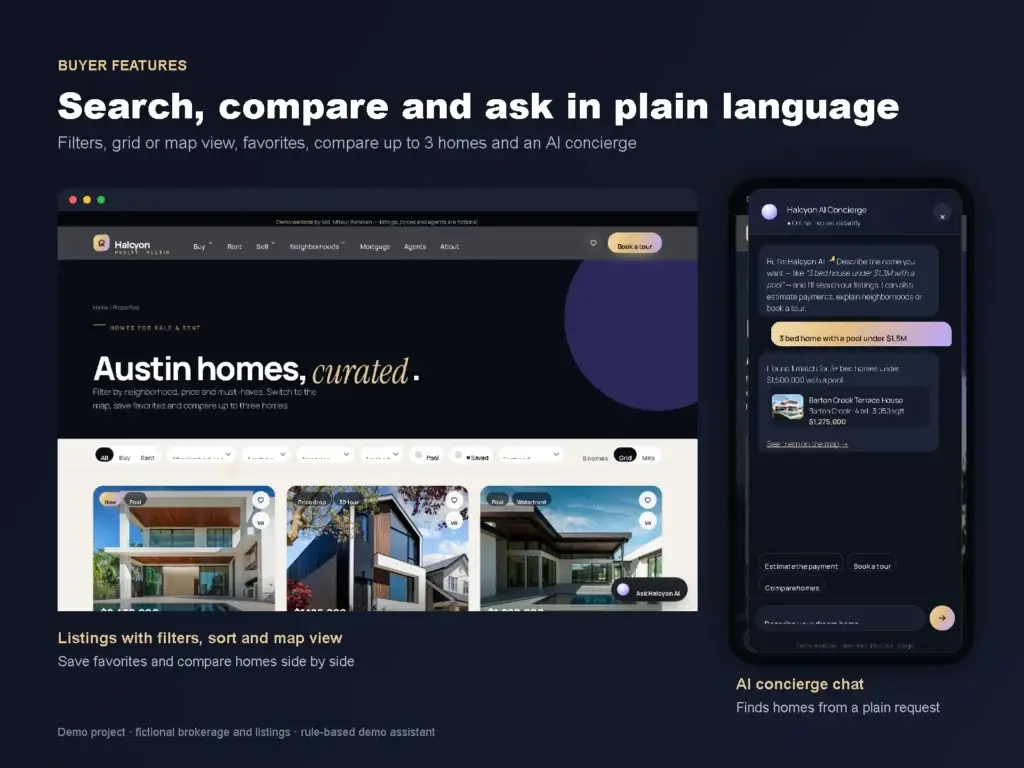
Filters for area, type, price, beds and other features, sorting, and a grid or map view with price pins.
A page for every listing with a photo gallery, key facts, location, similar homes and a tour booking form.
Mortgage and affordability calculators for buyers and a home valuation request for sellers.
Area guides that explain schools, lifestyle and prices, linked to the listings in each neighborhood.
Add, edit and mark listings as sold from the WordPress dashboard, with photos, price and features, without touching code.
Unique titles and descriptions, RealEstateListing and RealEstateAgent schema, responsive WebP images and lazy-loaded maps.
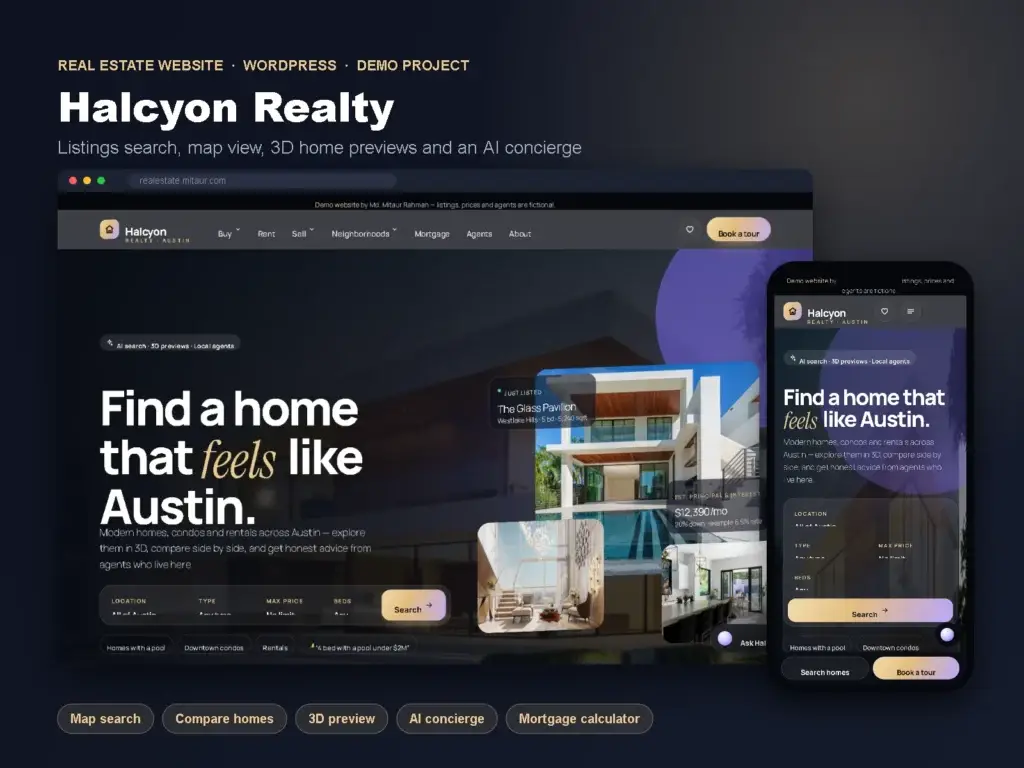
To show agents exactly what I deliver, I built Halcyon Realty, a demo website for a real estate brokerage in Austin, Texas. It has 18 pages, including a listings page with filters and a map view, 8 property pages, mortgage and affordability calculators, a home valuation request, a neighborhood guide and a 3D home preview.
Google PageSpeed Insights lab test, November 2026. Halcyon Realty is a demo brokerage, not a real company, so these are lab scores, not rankings, leads or traffic.
You always know what is being built, what I need from you and what happens next.
We list your areas, listing types, team and lead goals. I turn that into a page plan and decide how listings will be added.
I build the pages in WordPress with your branding, listing search, property pages and forms, and share a preview link.
Titles, meta descriptions, listing schema, internal links and image optimization, tested with PageSpeed Insights.
After your approval the site goes live, gets submitted to Google Search Console and you get a short guide for adding and updating listings.
The price depends on the number of pages, how listings are added, and which features you need, such as calculators, maps or a valuation form. Share your market and current website and I will send a fixed quote and timeline before any work starts.
Yes. Listings are managed from the WordPress dashboard: you add photos, price, beds, baths, area and features, and the listing appears in search and filters automatically.
Yes, if you have access to an MLS feed. That is usually done with an IDX provider or plugin that your MLS approves, and it needs your own IDX subscription. I can set it up and style it to match the website, or use manually added listings if you prefer.
Speed is planned from the start: compressed WebP images in several sizes, lazy loading, and maps or 3D content that load only when a visitor reaches them. The Halcyon demo scored 92 on mobile with large listing photos.
No one can honestly guarantee rankings. I build the site so Google can crawl and understand it: separate property and neighborhood pages, clean titles and headings, listing schema, fast loading and a Search Console setup. Rankings also depend on your Google Business Profile, reviews and local competition.
Yes. I work remotely with agents, brokerages and other businesses in the USA and other countries. We can talk by email or WhatsApp, and I adapt to your time zone for reviews.
Send your current website link (if you have one), the areas you cover and how you get your listings. I will reply with a page plan, timeline and price.